
Maximizing Mini War Offline Earnings: The Ultimate Guide to AFK Efficiency
Learn the best strategies to boost your Mini War offline earnings, including game pass tips, AFK setups, and how to avoid common pitfalls in Roblox.
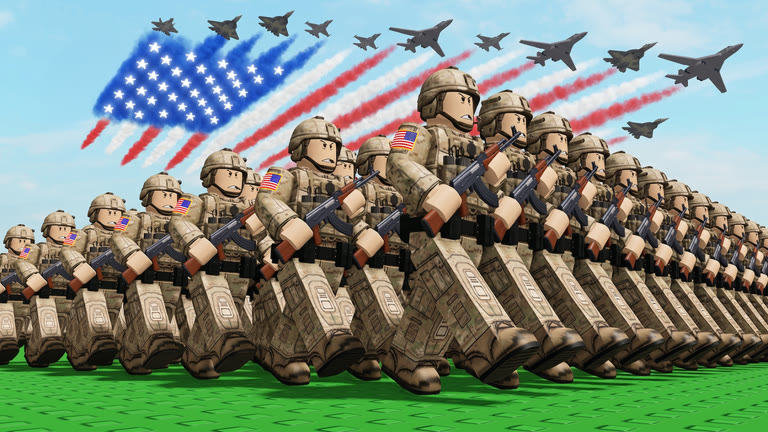 Official mediaLearn the best strategies to boost your Mini War offline earnings, including game pass tips, AFK setups, and how to avoid common pitfalls in Roblox.YouTube
 Understanding the Grind in Mini War
If you are looking to dominate the leaderboards, understanding how to manage your Mini War offline earnings is essential for long-term success. While active gameplay is fun, optimizing your passive income allows you to progress while you sleep, school, or work. By mastering the mechanics of automation, you can ensure your factories never stop producing, effectively boosting your mini war offline earnings to new heights.
Many players struggle with inventory limits and server disconnections, which can halt progress entirely. However, by utilizing the right tools and game passes, you can maintain consistent mini war offline earnings without worrying about your factory capacity or getting kicked for inactivity. In this guide, we break down the most effective methods to keep your resources flowing around the clock.
The Role of the Auto Collect Game Pass
In the world of Roblox tycoon-style games, the most efficient path to success is often through specialized upgrades. According to community reports, the Auto Collect game pass is widely considered the single most important investment for anyone serious about their economy.
Benefits of the Auto Collect Pass
| Feature | Benefit |
|---|---|
| Inventory Space | Infinite storage for all produced items |
| Automation | Eliminates the need for manual clicking |
| Efficiency | Prevents factory stalls due to full storage |
| Cost | One of the most affordable and high-value passes |
By purchasing this pass, you effectively remove the ceiling on your production. Instead of your factory coming to a grinding halt because your bins are full, your items are automatically moved to an infinite inventory. This is the cornerstone of maximizing your passive income.
Setting Up Your AFK Environment
Setting up for a long-duration AFK session requires more than just leaving your device on. You need a stable environment that keeps the game running while you are away. Players frequently report that using a private server is the most reliable way to ensure a smooth, uninterrupted experience.
Comparison of Server Environments
| Server Type | Pros | Cons |
|---|---|---|
| Public Server | Free to access, social interaction | Potential for lag, competition for resources |
| Private Server | No interruptions, exclusive control | Requires Robux investment |
| Default Instance | Accessible to all | Risk of disconnection due to server load |
When running your game in a private server, you eliminate the risk of external interference. Furthermore, the game’s built-in system is designed to auto-rejoin you if a minor connection hiccup occurs, provided you remain in the game window.
Important Rules and Safety Precautions
While it is tempting to use third-party software to speed up your progress, you must be cautious. Many players ask about using auto-clickers to help with their mini war offline earnings. It is crucial to understand that using unauthorized third-party scripts or auto-clickers is strictly against the game's terms of service.
The developers actively monitor for suspicious patterns. Using such tools can lead to your account being permanently banned from the game. Instead of risking your account, focus on legitimate methods like the Auto Collect game pass. Staying within the rules ensures your progress is permanent and safe.
Optimizing Your Shop Stocks
Once your production is fully automated, the next step in managing your mini war offline earnings is shop management. Even with infinite inventory, you still need to sell your goods to convert them into currency.
Weekly Management Checklist
- Inventory Audit: Check your stock levels every few hours.
- Price Adjustment: Monitor market trends to ensure your goods are priced competitively.
- Factory Efficiency: Ensure your upgrades are balanced to prevent bottlenecks.
- Server Refresh: Occasionally check your connection to ensure the auto-rejoin feature is active.
By spending a few minutes checking your stock levels while you are at your computer, you can make informed decisions that keep your economy growing. For more general tips on how to improve your performance in similar titles, check out the official Roblox Help Center for guidance on account security and gameplay etiquette.
Maximizing Your Resource Multipliers
Beyond simple automation, true efficiency comes from understanding how multipliers interact with your passive output. Many players overlook the importance of stacking upgrades.
Resource Multiplier Strategy
| Upgrade Tier | Impact on Earnings | Investment Priority |
|---|---|---|
| Tier 1 (Basic) | Low | High (Early Game) |
| Tier 2 (Advanced) | Medium | Medium |
| Tier 3 (Master) | High | Low (Late Game) |
Community experience suggests that focusing on speed upgrades first, followed by value multipliers, yields the fastest return on investment. Do not neglect your passive income buildings; they are the backbone of your wealth.
Frequently Asked Questions
Q: Does the game still track mini war offline earnings if I close the app entirely? A: No, the game requires you to be logged into a server for the systems to process. You must keep your game client open, ideally using the auto-rejoin feature to maintain your mini war offline earnings while away.
Q: Is it safe to use an auto-clicker to boost my earnings? A: No, it is not safe. Using auto-clickers or any third-party automation software is a violation of the game's rules and can result in a permanent ban. Stick to the in-game features like the Auto Collect pass.
Q: Why does my factory stop producing even when I am AFK? A: This usually happens because your internal storage is full. To prevent this, you should acquire the Auto Collect game pass, which redirects all items to your infinite inventory, ensuring your mini war offline earnings remain consistent.
Q: Are private servers worth the cost for AFK farming? A: If you plan on farming for long periods, private servers are highly recommended. They provide a stable, controlled environment that reduces the likelihood of connection issues and ensures you aren't interrupted by other players.
Related Guides
Maximize Your Mini War Gems: The Ultimate Guide to Boosting Your Income
Learn the best strategies to farm mini war gems in Roblox. Discover expert tips on worker management, statue buffs, and optimal layouts to scale your economy.
Mini War How to Get Money Fast: The Ultimate Strategy Guide for Roblox Players
Master the economy in Mini War with our expert guide. Learn how to get money fast, optimize your production, and dominate the battlefield effectively.
Mini War Super Workers Guide: How to Boost Your Economy and Maximize Production
Master the new Mini War super workers system to increase your production, unlock faster upgrades, and optimize your base economy for endgame success.
Mini War: How to Get More Civilians and Maximize Your Economy Fast
Master Mini War on Roblox with our guide on how to get more civilians, increase your population cap, and build a thriving economy through conquest.