
Mini War How to Play: The Ultimate Beginner’s Guide to Conquering Roblox
Master the battlefield with our comprehensive Mini War how to play guide. Learn about resource management, building an army, and conquering territories.
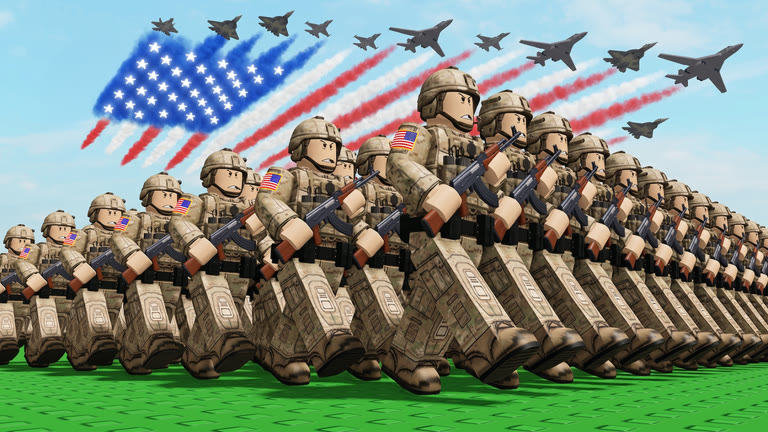 Official mediaMaster the battlefield with our comprehensive Mini War how to play guide. Learn about resource management, building an army, and conquering territories.YouTube
 Are you looking to dominate the battlefield and build a sprawling empire in one of Roblox’s most engaging strategy titles? Learning mini war how to play is the first step toward becoming a global superpower, as the game blends resource management with tactical expansion. In this mini war how to play guide, we will break down the core mechanics, from placing your first farm to leading a massive army into enemy territory.
Mini War offers a unique blend of "tycoon" style building and real-time strategy (RTS) elements. Unlike traditional clicker games, your success depends on how efficiently you manage your workers and how aggressively you expand your borders. Whether you are a newcomer to the Roblox strategy scene or a veteran looking for specific tips, understanding the fundamental loop of production and conquest is essential.
Getting Started: The Economic Foundation
Every great empire begins with a single building. When you first spawn into the game, your immediate priority isn't combat—it is cash flow. Without a solid economic base, you will find yourself unable to afford the high-tier military units required to defend your land or take over new regions.
According to community reports, the most common mistake new players make is neglecting their civilian population. In the bottom right corner of your screen, you will see three vital statistics: Builders, Military Strength, and Civilians. These numbers are the heartbeat of your nation. To increase these numbers, you must focus on residential and resource-generating structures.
Essential Starting Buildings
Before you can recruit a single soldier, you need workers. Workers require housing, and housing requires resources. The game provides a few basic building types to get you started:
| Building Type | Primary Function | Resource Focus | Priority Level |
|---|---|---|---|
| Farm | Generates basic income | Money/Food | High (Early Game) |
| Coal Mine | Provides industrial fuel | Coal | Medium |
| Wood Shop | Supplies construction materials | Wood | Medium |
| Residency | Increases worker capacity | Population | Critical |
To maximize your space, player experience suggests using the "R" key to rotate buildings before placing them. This allows you to pack your structures tightly together, ensuring you have enough room for late-game expansions without wasting precious land.
Mastering the Gameplay Loop
Once you have a few farms and wood shops running, you will start to see your money accumulate. This is where the core "loop" of the game begins. Understanding mini war how to play effectively means mastering this cycle:
- Build and Populate: Place residencies to increase your civilian count.
- Resource Collection: Use your workers at farms, coal mines, and wood shops to generate revenue.
- Visit the Shop: Head over to the shopkeeper to purchase military upgrades or advanced buildings.
- Military Expansion: Build an armory to convert your resources and money into military strength.
- Conquer: Send your forces to take over adjacent territories.
This loop is continuous. Every time you conquer a new area, you gain access to more space and often receive bonuses to your civilian or military strength. The goal is to keep this cycle moving as fast as possible to outpace your opponents.
Efficiency and Placement Strategy
Strategic placement is more than just aesthetics. You want your resource buildings to be easily accessible. While the game handles much of the "work" automatically via your civilian population, keeping your layout organized helps you identify which areas of your economy are lagging. If you notice your money isn't growing fast enough, it’s time to stop building military units and pivot back to farms.
| Strategy Phase | Focus Area | Key Action |
|---|---|---|
| The Setup | Economy | Build 5-10 Farms and 3 Residencies |
| The Scaling | Infrastructure | Add Coal Mines and Wood Shops for diversity |
| The Mobilization | Military | Build the Armory and buy Shop Upgrades |
| The Domination | Expansion | Attack the nearest territory with a 2:1 strength ratio |
Building and Managing Your Military
Once your economy is stable, it is time to turn your attention to the "War" part of Mini War. You cannot expand your borders through diplomacy; you must use force. To do this, you need an Armory. The Armory serves as the hub for your military operations, allowing you to train units and increase your total military strength.
A key part of mini war how to play is knowing when to spend money at the Shopkeeper. The shopkeeper offers items that can permanently boost your military's effectiveness. Rather than just buying more low-level troops, investing in upgrades ensures that every soldier you produce is stronger, faster, and more durable.
Military Strength vs. Civilian Count
It is a delicate balancing act. If you have too many civilians and no military, you are a rich target with no defense. If you have a massive military but no civilians, you will run out of money to maintain your army. Community members often recommend a 3:1 ratio of civilians to military units during the early phases of the game to ensure you always have a surplus of cash.
| Unit/Upgrade Type | Benefit | Cost Level |
|---|---|---|
| Basic Infantry | Standard frontline force | Low |
| Armory Upgrade | Increases troop spawn rate | Medium |
| Weaponry Buffs | Increases damage per second (DPS) | High |
| Fortifications | Protects existing territory | Medium |
Advanced Tactics: Conquering Territories
Conquering is the ultimate goal in Mini War. When you look at the map, you will see various regions that are not yet under your control. By clicking on these areas and deploying your military, you can begin the takeover process.
When learning mini war how to play, you will notice that different territories offer different rewards. Some might give you a massive boost to your civilian strength, while others might unlock specialized resource nodes. Always scout the rewards of a territory before committing your entire army to the attack.
The Art of the Push
When your military moves toward a new area, you will see a progress bar or a visual representation of the battle. If your military strength significantly outweighs the territory's defense, the capture will be swift. If the strengths are closely matched, you may find yourself in a war of attrition. In these cases, it is often better to retreat, build more farms, upgrade your gear at the shop, and return with overwhelming force.
Player experience indicates that "leapfrogging" is an effective strategy. This involves capturing a territory, immediately building a few defensive structures and a farm on the new land, and then moving to the next target. This keeps your momentum high and prevents enemies from retaking your newly won soil.
Tips for Success in Mini War
To truly excel, you need to look beyond the basic tutorials. Here are some expert tips gathered from top-tier players on Roblox:
- Don't Forget the "R" Key: As mentioned, space is your most valuable resource. Rotating buildings allows for "grid-perfect" layouts that can fit 20% more buildings than a haphazardly placed base.
- Watch the Bottom Right HUD: Your stats tell a story. If your "Builders" count is zero, you cannot place new structures. You must build more residencies to free up labor.
- Prioritize the Shopkeeper: It is tempting to just keep clicking "Build," but the Shopkeeper’s upgrades provide exponential growth. A single sword upgrade can be more valuable than ten basic soldiers.
- Diversify Resources: While farms provide quick cash, coal and wood are often required for higher-tier military buildings. Don't put all your eggs in one basket.
- Keep Moving: Stagnation is death in Mini War. If you aren't building or conquering, you are falling behind other players on the server.
Summary of Controls and Shortcuts
For those who want to play efficiently, knowing the hotkeys is vital. While the game is primarily mouse-driven, these shortcuts will save you time during intense battles.
| Shortcut | Action | Why it Matters |
|---|---|---|
| R | Rotate Building | Essential for space management |
| Left Click | Place/Select | The primary interaction method |
| Camera Scroll | Zoom In/Out | Helps in viewing the entire battlefield |
| HUD Click | View Stats | Quickly check civilian and military counts |
Conclusion
Mastering mini war how to play takes patience, strategic planning, and a bit of aggressive expansion. By focusing first on your economy through farms and residencies, you create the financial engine necessary to power a world-class military. Remember to use the "R" key for better building placement and always keep an eye on your resource counts in the bottom right corner.
As you conquer more land and upgrade your troops via the shopkeeper, you will find that the game opens up, offering deeper strategic choices and more challenging territories to claim. Stay consistent with the build-collect-conquer loop, and you will be well on your way to dominating the server.
FAQ: Mini War How to Play
Q: How do I get more workers in Mini War? A: To increase your worker count (Builders), you need to build more Residencies. Each Residency increases your civilian population, which in turn provides the labor needed to construct new buildings and operate farms.
Q: What is the best way to make money quickly? A: The most effective way to generate cash early in the game is to spam Farms. Once you have a steady flow of income, make sure to upgrade your resource buildings and visit the shopkeeper for items that boost your overall revenue.
Q: Why can't I conquer the next territory? A: If you are unable to take over a new area, it is likely because your military strength is too low compared to the territory's defense. Focus on building an Armory and purchasing military upgrades from the shop to boost your power before attacking again.
Q: How do I rotate buildings when learning mini war how to play? A: You can rotate any building before placing it by pressing the "R" key on your keyboard. This is a crucial skill for optimizing your base layout and fitting as many structures as possible into your territory.
Related Guides
Complete Mini War Red Button Locations Guide: Unlock Hidden Secrets Today
Struggling to find the Mini War red button locations? Follow our step-by-step guide to uncover secret map NPCs and easter eggs in this Roblox hit.
Essential Mini War Tips and Tricks: Master Your Strategy and Dominate the Battlefield
Struggling to win in Roblox Mini War? Use these expert mini war tips and tricks to optimize your economy, scale your army, and crush your opponents.
The Ultimate Mini War Guide: Master Money, Armies, and Strategy in Roblox
Level up your game with our comprehensive Mini War guide. Learn the best strategies for earning cash, optimizing your army, and mastering research.